
Welcome to 99Exch: Find Your Way Round the Official Lobby on the First Login
Welcome to 99Exch starts with one choice on the login screen: press Login with Demo ID and wander the lobby on a 0.00 balance before asking for anything real. After that the order is simple. Top bar, sports bar, the Others card list, the match strip, and only at the end your own ID from the desk.

Welcome to 99Exch: A Secure First Sign-In Card
This HELLO card only rehearses the first sign-in: the fields are locked, nothing leaves your browser, the real 99Exch sign-in opens on the official portal, a first ID comes from the WhatsApp desk on +91 81097 11726, and the lobby is for adults of 18+ only.
Welcome to 99Exch: An Easy Running Order for the First Login
A first visit can go sideways fast. Picture someone who gets a User Name from the desk, signs in, meets a full-screen promo, taps around the sports bar at random and logs out none the wiser about where the card games or the upcoming matches live. The fix is boring but it works: do things in a fixed order, and do the first round on the demo.
Step One on 99Exch: The Free Demo ID Button
Your first tap on 99Exch should be the button most newcomers skip past: Login with Demo ID, sitting beside plain Login under the two fields. Nothing has to be filled in. The lobby that opens matches what a funded account gets, only the top bar shows 0.00, and that zero is the point of the exercise. Practice view, no real balance, no payout. A wrong tap costs nothing.
Step Two: Read the Quick 99Exch Top Bar
Before any sport, read the strip along the top. Balance and Exposure come first, then a Rules link, a search box and the username menu. A notice line also scrolls across the top of 99Exch with announcements; let it run past once, because that line is where news about the lobby itself shows up.
Step Three: Keep the Real 99Exch ID for Last
Only when the sports bar, the Others list and the match strip make sense is it time to message the desk. The real pair opens the same lobby you just toured, so nothing learned on the demo is wasted.
One thing breaks the order, and it helps to expect it. After a 99Exch login a full-screen APK promo takes over, pushing you to download once and keep the app for good, and it carries a warning that links change and that fake links are out there. Keep the warning, skip the panic. The real file sits behind the Download .apk button on the login screen itself (not in a forwarded chat link), and the 99exch live app page covers what Android asks after that tap.
Now a worked example, the kind of thing that happens on day one. Priya gets her pair from the desk, types her User Name as priya21 when the desk wrote Priya21, and the form refuses her. Nothing is wrong with the account. User Name and Password on 99Exch are both case-sensitive, so one capital letter is enough to fail, and copying the pair exactly as the desk sent it, capitals and all, usually clears it on the second try. If it still fails, try the demo button on the same screen: if the demo opens, the address works and the problem is in the pair, which the desk can reset.
A second day-one failure looks different: the login screen never appears. That is usually the address, not the account. On 18 Oct 2026 the main 99Exch .com address gave no answer to a plain request, while the .red, .live, .win, .green and .black mirrors all opened the same login app, so the cure is to switch to a working mirror rather than to keep refreshing a dead one. Then check what loads. A real 99Exch screen shows the 99EXCH logo, the LOGIN card, the two fields and the demo button, with a reCAPTCHA line under the buttons; a parked page or a site that forwards somewhere else shows none of that, and a pair typed there is a pair handed to a stranger.
Reading the 99Exch Sports Bar Fast: Every Entry After Home in Turn
Below the top bar runs the sports bar, the long row of names that decides most of where a first visit goes. On 18 Oct 2026 the .red, .live, .win and .green addresses all served one and the same 99Exch app, so the order below holds whichever working address you came in on. Learn it once.
| Stretch of the bar | Names in the order 99Exch shows them | What to try on the first visit |
|---|---|---|
| The start | Home | The lobby opens here; tap it to get back after wandering off. |
| The big three | Cricket, Football, Tennis | The same three come back later as tabs on the market list, next to INPLAY. |
| Two specials | Fantasy 11, Cock Fight | Open each once just to see what it lists; neither has a tab of its own on the market list. |
| The house side | Casino, Sports Book | Casino leads into the card games your one ID already covers, and right after it comes Sports Book. |
| Racing | Horse Racing, Greyhound Racing | Two racing entries side by side, easy to mix up on a small screen. |
| Two odd ones | Other, Binary | Note the spelling: the bar says Other, the card list further down says Others. |
| Home-grown and topical | Kabaddi, Politics | Both have their own place on the bar, a short way past the racing. |
| The long tail | From Basketball and Baseball on to Table Tennis, Volleyball, Ice Hockey and Rugby, then Mixed Martial Arts, Darts and Futsal at the very end | On a narrow phone these probably sit off the right edge, so swipe the bar sideways. |
Two habits make the bar easier. First, treat Home as the reset button button: after a few taps deep into a sport, one press on Home returns you to the starting view, which is calmer than pressing back in the browser and hoping. Second, do not read Other on the bar and Others on the card list as the same thing, since they are two separate entries that just happen to share a word, and a first-time 99Exch visitor who mixes them up will spend a while looking for Andar Bahar in the wrong place.
On a phone the bar is a swipe row. Adding /m/home after a working 99Exch address opens the mobile layout of the same app, and /m/login does the same for the sign-in form, which helps when a desktop view loads on a small screen by mistake. Same lobby, same order, just narrower.
A useful drill for the demo: tap Cricket, then Kabaddi, then Futsal at the far end, and come back with Home each time. Three taps, three corners of 99Exch, and by the third round the swipe distance to the long tail feels familiar instead of hidden.
Others List and All Sports Tree on 99Exch, With a Free Scratch Demo
Next comes the part most first visitors miss. Beside the main view, 99Exch keeps a list headed Others, and it is the quickest way into the house card games: TP T20, TP 1 Day, TP Test, DT 1 Day, 32 Cards, Hi Low, Poker, Queen, Baccarat, Amar Akbar Anthony, Bollywood, Trio, Andar Bahar, Muflis TP, Roulette and Worli Matka. The short codes are simply how the list names its tables, and three of them start with TP, which is a good sign the format words after it (T20, 1 Day, Test) matter.
Under that list sits the All Sports tree. Where the sports bar is a row you swipe, the tree is a list you open, sport by sport, so it suits the moment when you know the sport but not which competition sits inside it. Which one will a new visitor prefer? Hard to say. In practice most people use the bar for the big names and drop into the tree for the long tail.
On the demo, open three things in this order: one card game from Others, one sport from the tree, then Home again. That small loop shows where each part of 99Exch lives without a single real decision.
Want something to tap while you read? The scratch card below is a demo that belongs to this page, not to 99Exch. It runs in your browsr, uses no real money and pays nothing at all; whatever it reveals only shows a short message and the portal link.
Live 99Exch Match Strip: How the Upcoming Cards Read Above the Markets
Scroll past the bar and a strip of upcoming-match cards appears. It sits above the market list, which is why it is the first thing your eye lands on once the bar is behind you. Read the strip first.
What Each Real 99Exch Match Card Shows
A card carries the two sides as team v team and a start date and time in IST. That is the whole card. For a visitor in India the IST stamp is a small mercy, since there is no time-zone sum to do before deciding whether a match is tonight or later in the week. The cards are upcoming matches, so treat the strip as a schedule rather than as live acton.
What Sits Under the Strip on 99Exch, in Clear Terms
- Market list tabs: INPLAY, Cricket, Football, Tennis.
- Filters: LIVE, VIRTUAL, PREMIUM.
- A View by switch between Competitions and Time.
- The row a strip card matches: its Game name, then 1, X and 2, every one split into back and lay.
- A dash in a cell where no price is up yet.
- Row markers for fancy and bookmaker markets.
A tip for matching the two. The strip reads in date and time order, and View by Time puts the market list in roughly the same shape, so switchng to it makes a card above and its row below easier to pair up; View by Competitions is better once you follow a single tournament. The back and lay cells themselves are a topic of their own, and the play 99 exchange page reads that table cell by cell, so this page leaves it there.
Here is how one read goes on the demo. A card in the strip shows a cricket match as team v team with an IST time later today. Below, the INPLAY tab lists what is running now, so that match is probably not there yet; the Cricket tab, set to View by Time, is where its row turns up, and its cells may show a dash until prices go up. Nothing to do with it on a 0.00 balance, and that is fine. The point of the exercise on 99Exch is only to see that a card above and a row below describe the same fixture, so that on a real visit you go from strip to market without searching.
After the Tour: Get a Verified 99Exch ID From the Official Desk
Once the lobby makes sense, the demo has done its job. Then comes the snag.
- Where to ask
- Not on the login screen, which lacks any register button; the WhatsApp desk on +91 81097 11726 sends a fresh pair for 99Exch.
- What the tour already showed you
- Every room that pair will open: the sports bar, the exchange markets under the match strip and the Others card tables.
- Typing it for the first time
- Copy the capitals exactly; the Priya21 slip near the top of this page is the usual first error.
- Back to the desk for
- A forgotten password, and later any deposit or withdrawal request.
- Which address to use
- Stay on the 99Exch mirror where the demo opened for you on the tour; your pair carries its balance to the others too.
- Age line
- Adults of 18+ only.
The steps on the desk side, what to send and what comes back, live on the 99exch sign up page, which owns that part. What matters for a first visit is the timing: ask after the tour, not befre, so the first real session on 99Exch starts at the market you came for instead of at a menu hunt. And once the real pair opens, the account side (balance, exposure, the username menu in use) is covered under my 99 exchange login, which picks up where the welcome tour stops.
A small correction to something you will hear in chat groups. The demo and the real lobby get called twins, and on layout that holds, but the demo reads 0.00 and pays nothing, so the first time a real balance shows in the top bar of 99Exch, Exposure suddenly means something it did not mean an hour earlier.
Diamond 99 Exchange, the Casino Tab and Other Trusted 99Exch Names
Some visitors arrive by a different name. They type diamond 99 exchange into a search box, or they come in through the Casino entry on the bar and wonder whether it is a separate site. A short table, then, of the names a newcomer meets and where each one actually leads on 99Exch.
| Name or address | Where it leads | Same 99Exch ID? |
|---|---|---|
| Casino on the sports bar | The card-game side of the lobby you already toured | Yes, one ID opens it |
| Others list | House card games such as Andar Bahar, Roulette and Worli Matka | Yes, same pair |
| diamond 99 exchange (a search phrase) | Treated on this site as another name pointing to the same login app | See the diamond page for the detail |
| .red, .live, .win, .green, .black addresses | The same login app, served as mirrors | Yes, same ID and same balance |
| 99exch.club and 99exchange.com | Parked placeholder pages with no lobby | Nothing there to sign in to |
| 99exch.in | A forward to a third-party site, not the login app | Do not type the pair there |
The diamond name gets its own page, diamond 99 exchange, because it confuses enough people to need one. For the welcome tour the practical point is shorter: if a name or address does not show the 99Exch login screen with User Name, Password and the demo button, it is not the lobby this page describes, and the pair from the desk should stay in your pocket. Indian ISPs block betting domains from time to time, which is why 99exch.com gave no answer to a plain request on 18 Oct 2026 and why the brand keeps several mirror addresses. Some searchers type welcome to play 99 exchange hoping for a fresh start page. There is none. The login screen on a working mirror is the start page.
Welcome to 99Exch: Fast Answers for the First Login
Three phrases bring people here, welcome to 99exch, welcome 99exch and welcome to play 99 exchange, and behind each one is a newcomer holding a fresh pair, or no pair yet, wondering which tap comes first. Six short rows follow, each tied to a part of this page.
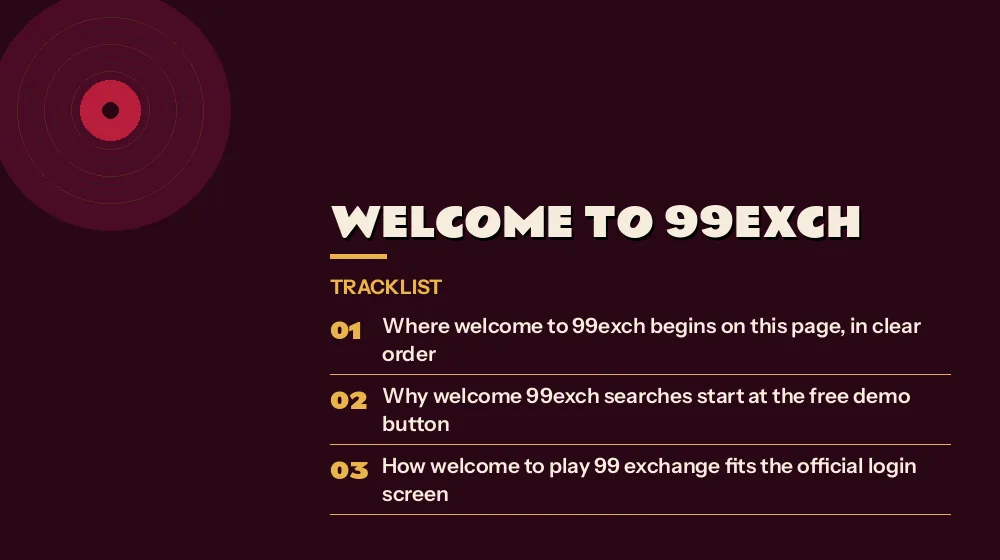
Where welcome to 99exch begins on this page, in clear order
It begins at the login screen, with the Login with Demo ID button pressed before any real pair is typed, then the top bar, the sports bar from Home onward, the Others list and the All Sports tree, and last the upcoming-match strip above the markets.
Why welcome 99exch searches start at the free demo button
Because the demo opens the same lobby with a 0.00 balance and no payout, so every corner of 99Exch can be tapped once without any stake.How welcome to play 99 exchange fits the official login screen
There is no separate start page to find; the official login screen on a working mirror is where play on 99 Exchange starts, with User Name, Password, Login and Login with Demo ID.
Which bar entry a quick first look on 99Exch should open first
Home, then Cricket, Football and Tennis, since those three return as tabs on the market list under the match strip.What the free scratch card on this page does and does not do
It is a browser-only demo with no real money; nothing is paid, and a result only shows a message and the portal link, never a 99Exch prize.
Who hands out a verified 99Exch ID after the look-around
The WhatsApp desk on +91 81097 11726, since the login screen has no sign-up button; the pair is case-sensitive and works on every mirror.Welcome to 99Exch Questions With Quick, Clear Answers
Is there an official welcome step when you first open 99Exch?
Not a separate one; the welcome to 99Exch is simply the first round you take on the demo. From the login screen, Login with Demo ID drops you in on a 0.00 balance to learn the bar and the card list, and the WhatsApp desk sends a real pair afterwards. Expect a full-screen APK promo after a real login.
What should I open first on a quick 99Exch visit?
Open the demo, then read the top bar. Balance, Exposure, Rules, search and the username menu sit there, with a scrolling notice line; after that, walk the sports bar from Home onward, check the Others card list and the All Sports tree, and finish on the upcoming-match strip.
Can a newcomer try the free 99Exch demo while still waiting on the desk?
Yes, it can. Login with Demo ID sits next to Login on the 99Exch screen, asks for no User Name or Password, and drops you into a practice copy of the lobby that reads 0.00 and never pays out, which makes it the right first stop before the desk.
Where is the sports bar in the live 99Exch lobby?
It is the row of names that begins with Home. The 99Exch sports bar runs Home, Cricket, Football, Tennis, Fantasy 11, Cock Fight, Casino, Sports Book and Horse Racing, then on through racing, Kabaddi, Politics and smaller sports to Futsal; on a phone, swipe it sideways.